DailyGammon for iOS
The same site, drawn natively.
iOS (iPhone + iPad)
Free & ad-free
Swift & SwiftUI
Your own DailyGammon account
The same site, drawn natively.
The app is a client for dailygammon.com: same account, same matches, same rules. Almost everything works exactly as you already know it from the site.
This page is the exception list — the things that behave differently, and only those. It's the same list the app itself shows under Help, because a feature nobody can find isn't a feature.
iPhone


iPad
The version you see here is a rewrite. The original app grew over years in Objective-C, and by the end every change was a small gamble: the code that fetched a page from dailygammon.com, the code that made sense of it, and the code that drew it on screen had grown into each other. Touch one, break another.
The new app is written in Swift and SwiftUI, and it keeps those three jobs apart. It reads the server's pages, turns them into a model of what's actually there — matches, players, threads, a board position — and only then draws that model. A change to any one of the three no longer breaks the other two.
That's not a feature you can see in a screenshot. What you can see is the consequence: it made everything on the list below possible in the first place.
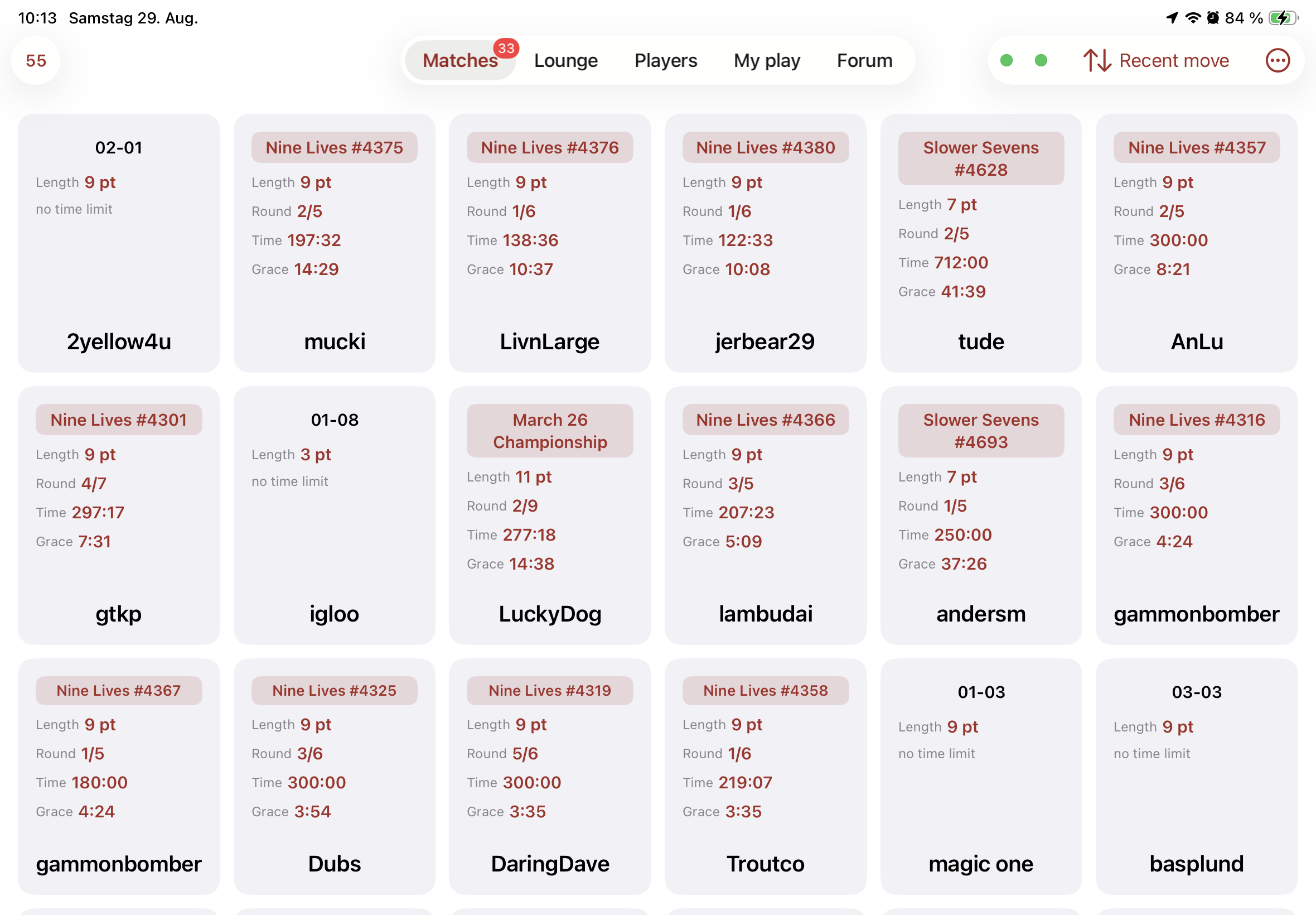
A count on the Matches tab. How many matches are waiting for a move from you. The website has no such number anywhere.
Notifications. dailygammon.com sends none, so the app looks for itself while it's in the background: more matches than last time and it says so at once; unchanged and it stays quiet for hours. Off until you switch it on. How often iOS actually lets it look is up to iOS, not to any setting — the app keeps a log of its own wake-ups so you can see what you're getting.
Sorting that's yours alone. The website's sort order belongs to your account. The app can also sort on this device only, leaving your account's setting — and your browser — untouched.
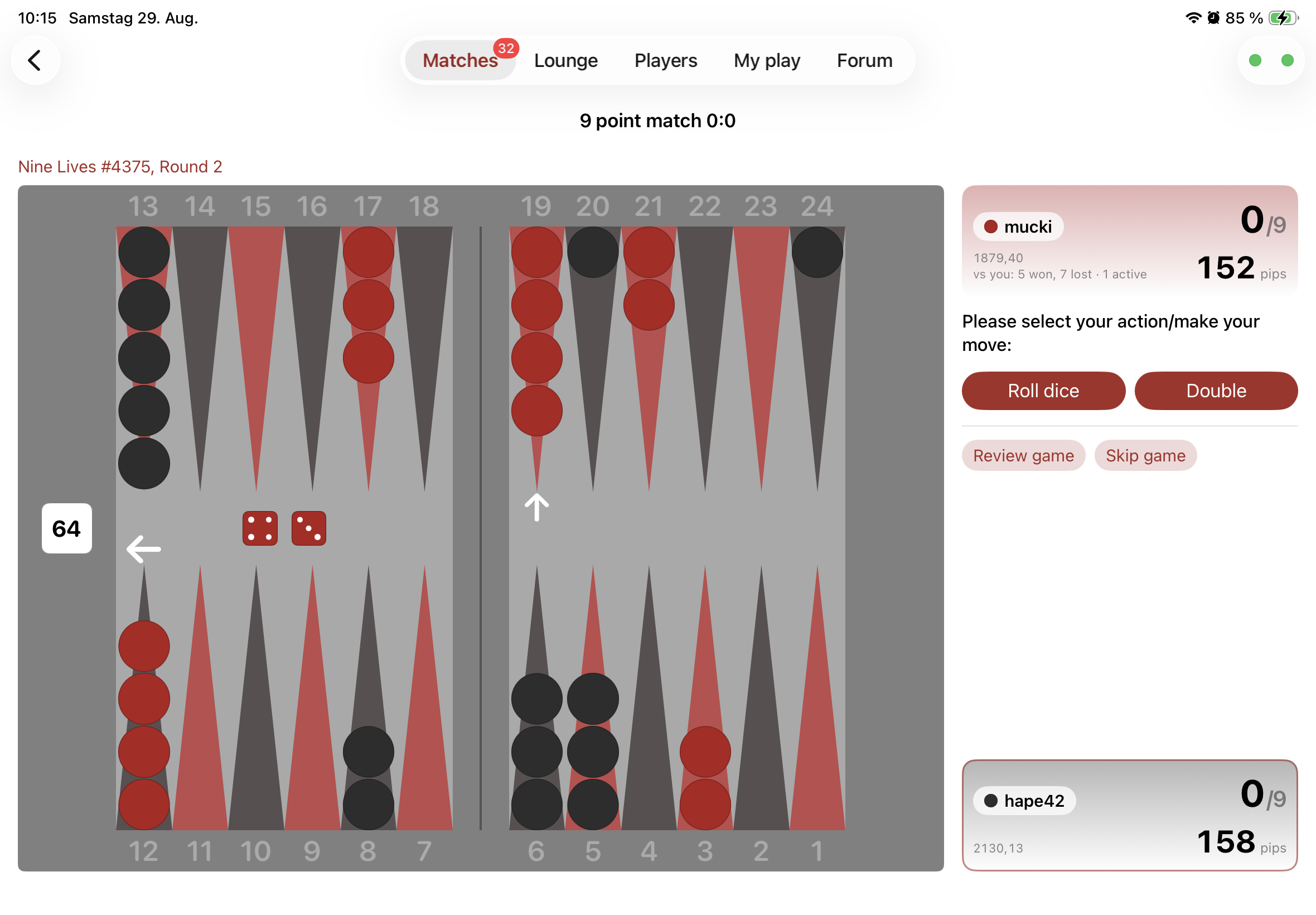
Sideways, it fills the screen. Turn a phone and the board takes the whole height; the bars around it get out of the way. A switch in the corner brings them back, and it remembers what you chose.
Always your colour. The server hands out black and white per match. You can fix it instead — your board only; your opponent sees no difference.
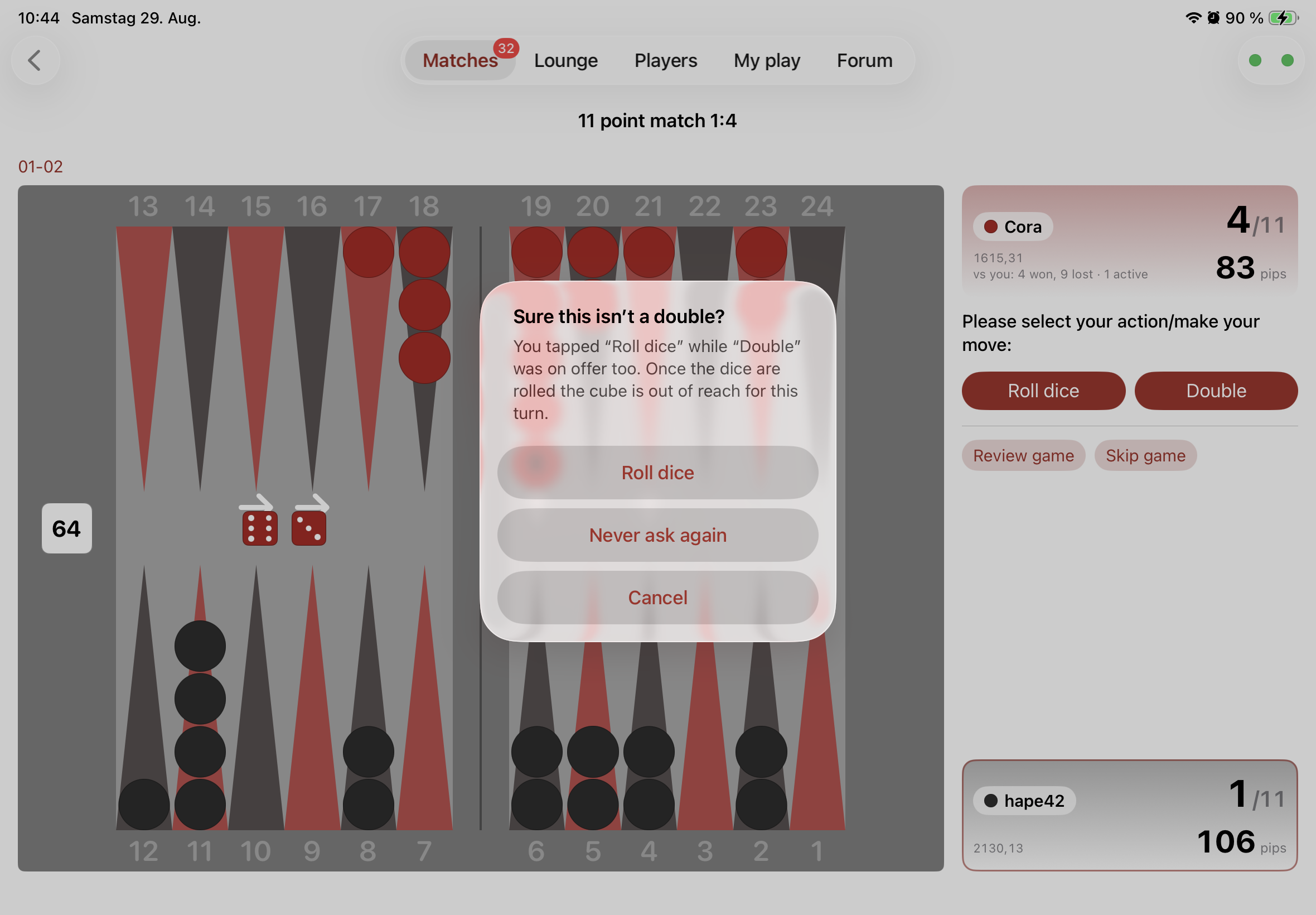
A question before you roll. When the cube is yours to offer, the board shows Roll dice and Double side by side, and it's easy to tap the wrong one out of habit. The app can ask once whether you meant it. It's off by default, it asks every single turn, and it judges nothing — it can't tell you whether doubling would be right, only that you could have. The question switches itself off if you've had enough of it.
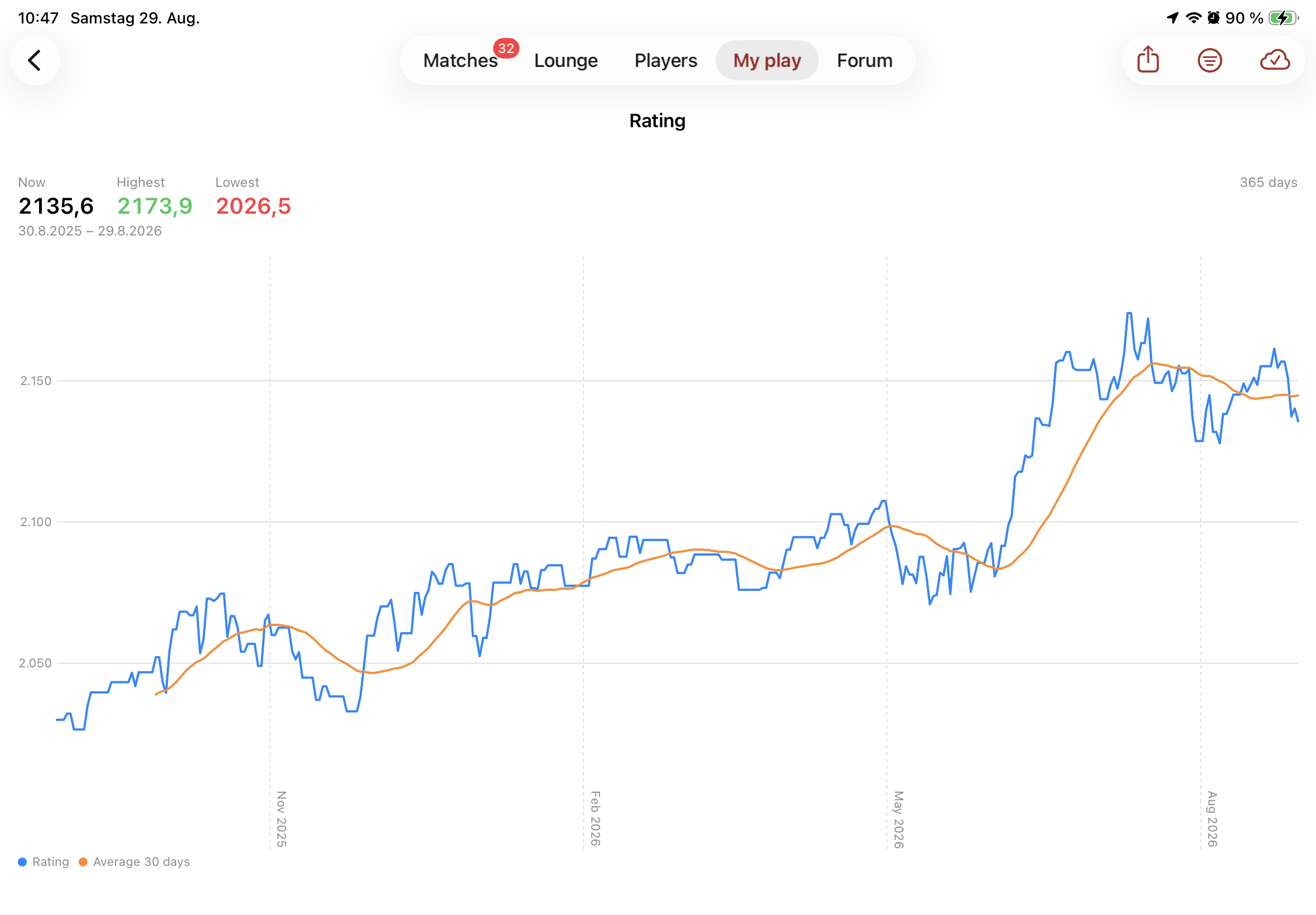
Tap any player's name — on the board, in a tournament, in a message — and a sheet opens with everything the app knows about them:
Opened from a board, the sheet knows which match you're in, so the tools below come up already filled in.
Quick messages can run long. The website's field stops at 80 characters. The server doesn't — so the app doesn't either.
It counts. A thread you've read shows how many posts have arrived since, where the website only marks that something is new — and it opens at the first post you haven't seen.
Hiding works both ways from the same button. On the website, un-hiding means going to find the thread under „Show Hidden Threads“.
Old threads are a month archive, reachable from the corner, back to 2004.
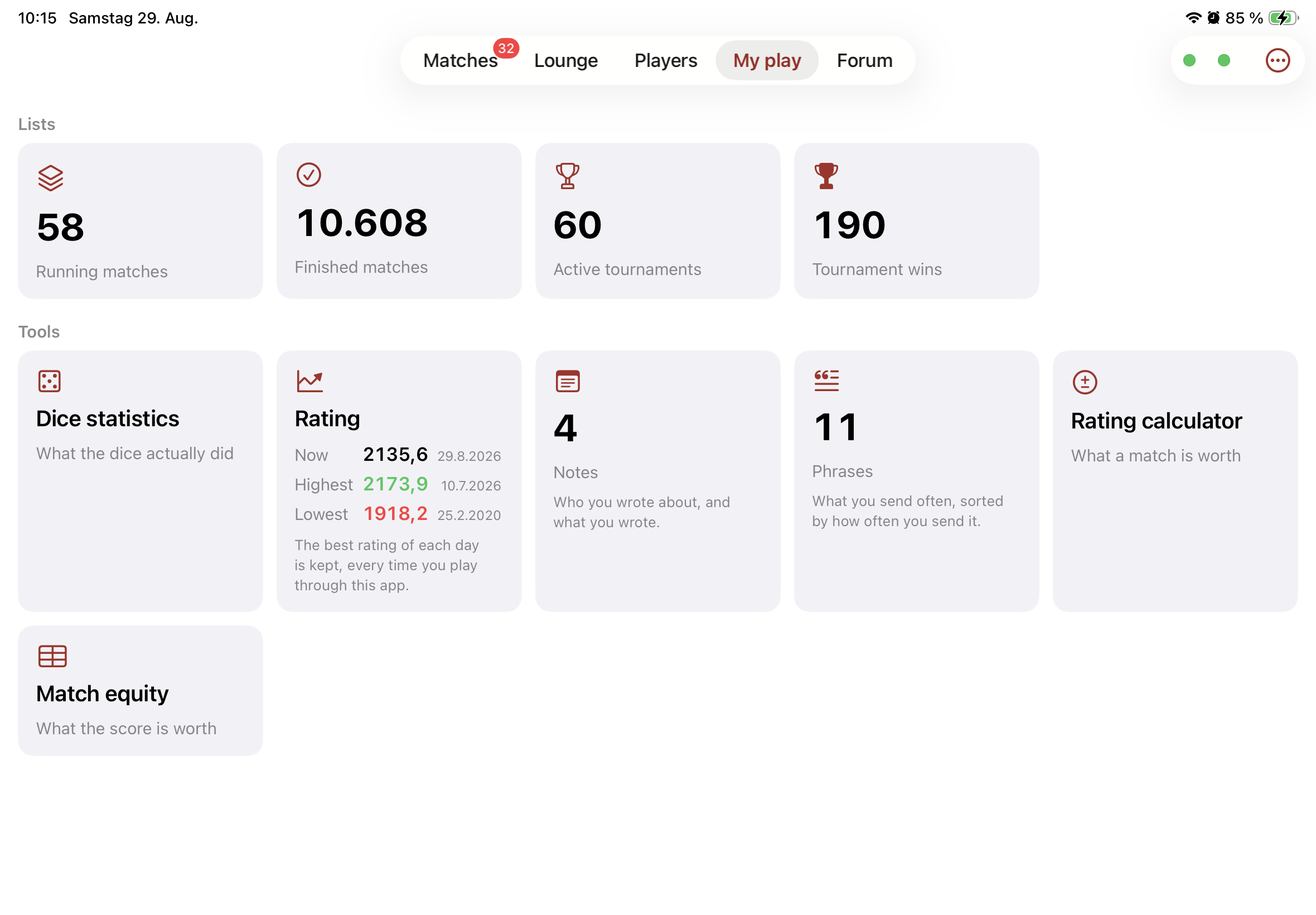
Rating calculator — what winning or losing is worth, for both players.
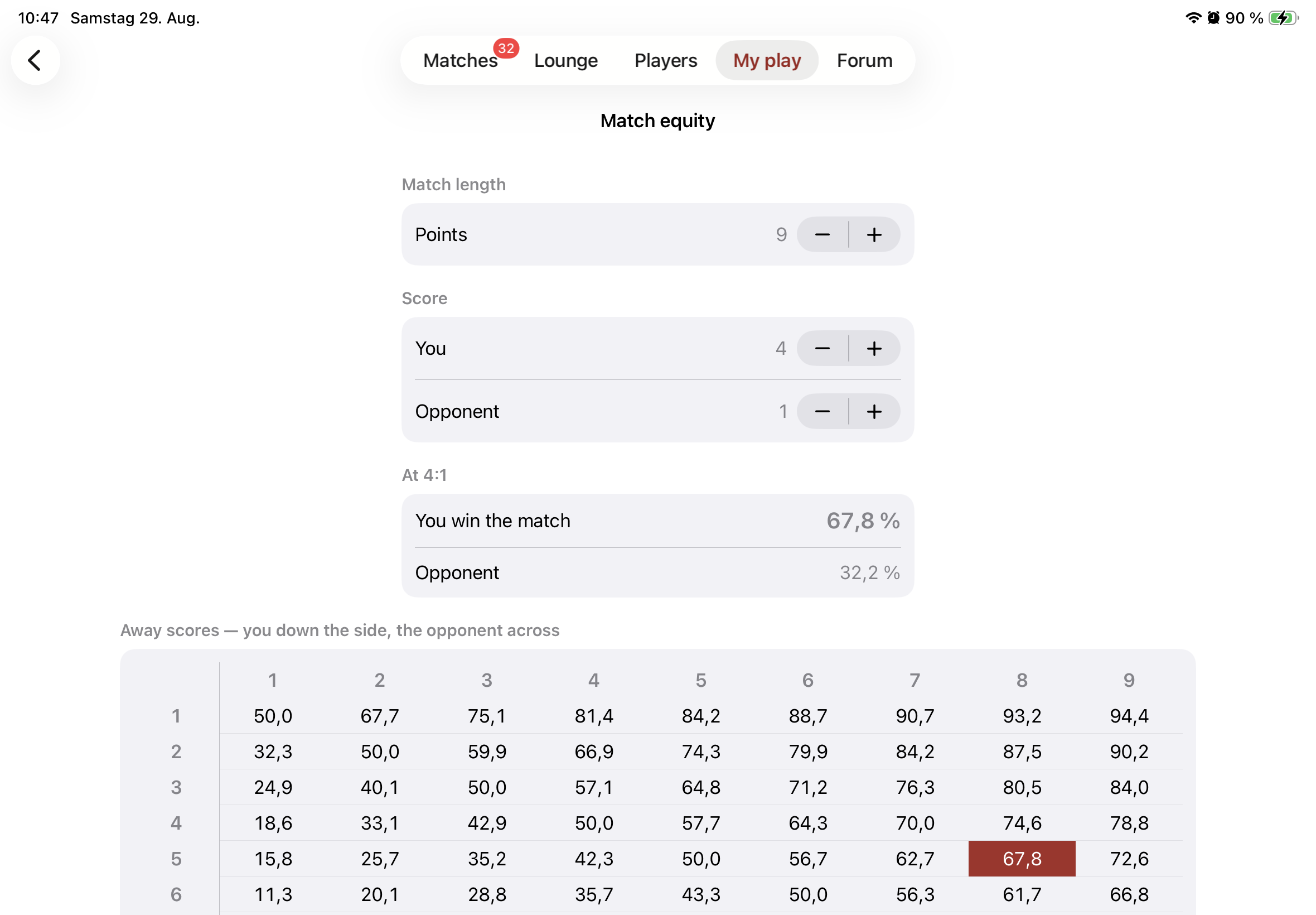
Match equity table with your own score already marked, so you don't have to find your row.
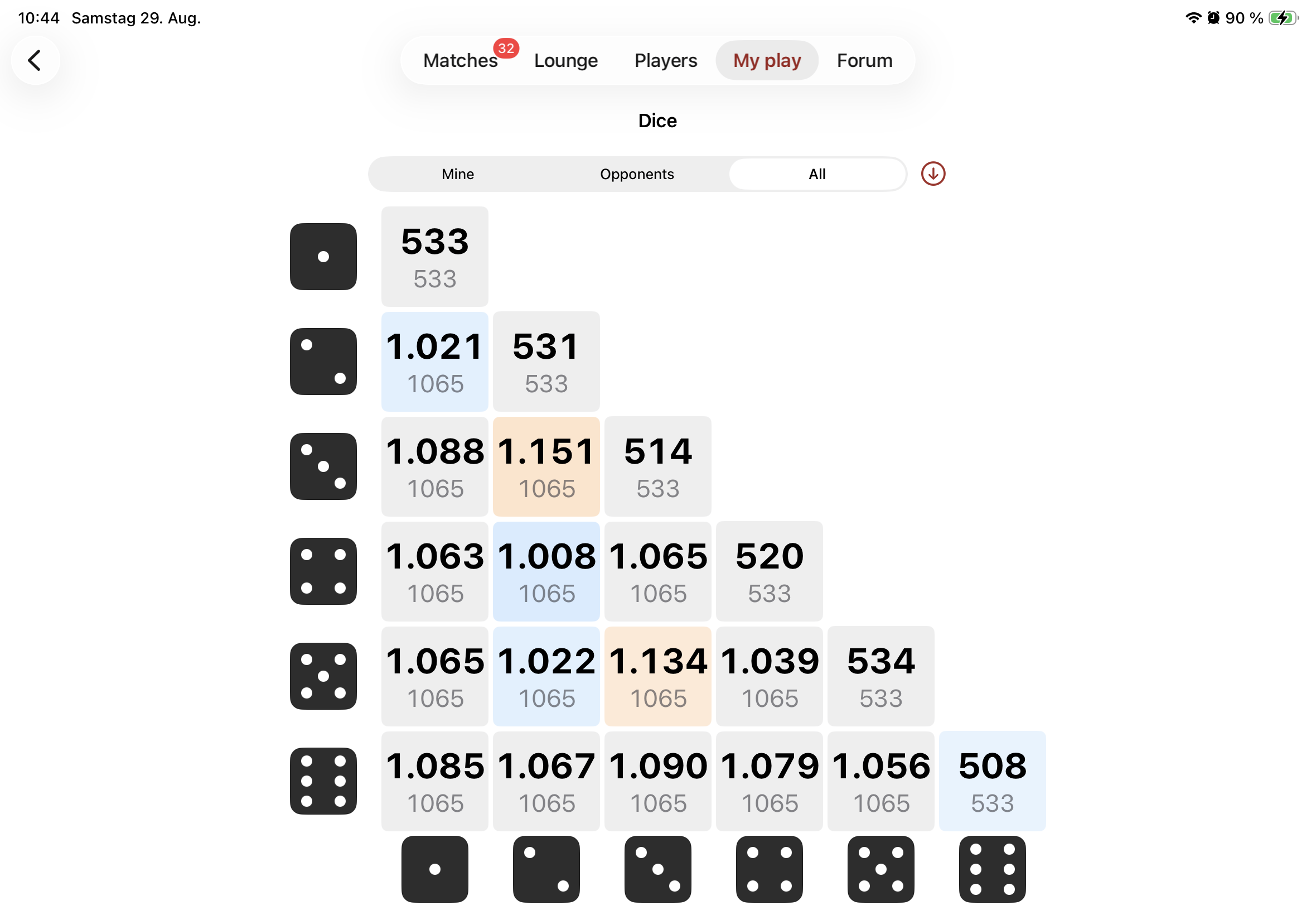
Dice statistics — how often each throw came up against how often it was to be expected. Reading it costs one request per match, so it runs on a button and you choose how far back to go.
Phrases — sentences you send often, kept for reuse.
Sharing a position. A finished match can be exported whole, or you can tap a single roll in the review and share that position as a GNU Backgammon ID. Both import into GNU Backgammon, BGBlitz or Extreme Gammon.
Notes and chat history live on your device only. DailyGammon stores neither, so the app keeps them itself. They don't sync between devices, and deleting the app deletes them.
Two dots sit in every corner. The left one is your device's connection, the right one is how fast dailygammon.com is answering. Green good, yellow slow, red bad. Tap either for the detail.